info@nautilusmarketing.co.uk
  020 4513 9344





 12 minutes
 May 7, 2026
Picking a website platform used to be straightforward. A few years ago, most marketing teams were debating WordPress versus Squarespace and not much else. That conversation looks completely different now.
Today you have AI builders like Lovable that claim you can go from a text prompt to a live site before lunch. You have Framer, which has quietly become a serious tool for design teams who want pixel-level control without touching code. Webflow has built a dedicated following among developers and marketers who want something between the rigidity of WordPress and the chaos of fully custom builds. And Wix and Squarespace — long dismissed as “beginner tools” — have genuinely improved to the point where that label no longer fits.
So where does that leave you when you’re trying to make a decision for your actual business?
Honestly, the answer depends on things that matter: what your site needs to do in practice, how much ownership you want over it long-term, who on your team is going to manage it, and where you want to be in two or three years. This isn’t one of those guides that hedges every answer to the point of uselessness. We’re going to work through each platform properly, explain where the newer AI tools genuinely deliver, and make the case for why WordPress is still the right default for most businesses with serious digital ambitions — even if it isn’t the most exciting answer.
First, what is vibe coding and why is everyone talking about it?
If you’ve spent any time in marketing or tech circles in the past year, you’ve probably seen the term “vibe coding” thrown around. It describes the practice of building websites or software using AI — usually by describing what you want in plain language and letting the AI generate the underlying code. Lovable is probably the most prominent example of this approach done at scale.
And the honest reaction when you first see it? It’s impressive. Someone with zero coding background can sit down, type a description of what they want, and have something that looks like a working website within a few hours. For developers, AI-assisted coding has become a genuine productivity tool rather than a novelty.
The problem is that “looks like a website” and “functions reliably as one over time” are two different things. That gap — between the impressive demo and the reality of running a production site at scale — is where most serious conversations about these tools eventually land.
WordPress: why it is still the default for most businesses
WordPress runs roughly 40 percent of every website on the internet. That number gets quoted so often it starts to lose meaning, but it’s worth sitting with for a moment. That market share isn’t the result of inertia alone. It reflects something real about what the platform actually delivers.
Ownership and flexibility
WordPress is open source. You own your site — not a version of it that lives inside someone else’s ecosystem, but the actual thing. Your content, your data, your codebase. If your hosting company goes bust, you move. If a plugin stops being supported, you find another one or have someone build what you need. Nothing about the platform’s survival depends on a single company’s funding round or pricing decisions.
This sounds abstract when you’re choosing a platform for the first time. It sounds a lot less abstract when you’ve been working with a client for two years, they’ve built something substantial, and they start bumping against the walls of a proprietary tool they can’t get out of without rebuilding from scratch. We’ve had that conversation more times than we’d like.
The plugin ecosystem
The WordPress plugin library covers almost everything a business website might need — SEO tooling, e-commerce, membership areas, booking systems, CRM integrations, multilingual support, forms, analytics, the list goes on. Most of it is documented well, supported actively, and proven in production environments.
This is one of the areas where AI builders like Lovable genuinely cannot compete right now. A site generated by an AI tool might look sharp in the browser, but the moment you need real functionality — a booking system that syncs with your CRM, a membership platform with tiered access, a product catalogue with complex filtering — you’re very quickly at the edge of what those tools can handle.
SEO capability
WordPress with Yoast or Rank Math gives you control over every technical SEO element that matters: meta titles, descriptions, canonical tags, schema markup, XML sitemaps, redirects. When you combine that with a properly built theme and clean hosting, it’s the strongest SEO foundation available without hiring a developer to build something custom.
Independent research comparing SEO capabilities across Website Builder Software platforms consistently ranks WordPress as one of the strongest CMS platforms for SEO, particularly for businesses focused on long-term organic search growth.
The honest limitations of WordPress
None of this means WordPress is without problems. It needs maintenance. Security requires attention, particularly around plugin updates and hosting configuration. Performance isn’t automatic — you need decent hosting, proper caching, and image optimisation as a baseline. And while Gutenberg has improved the editing experience considerably, it still has a learning curve compared to newer tools.
For a business with no technical resource whatsoever, getting WordPress set up properly can feel like more than they signed up for. That’s a fair concern.
What we’ve seen in practice: the businesses that get genuine value from WordPress are the ones that invest in a properly built theme, reliable hosting, and at least some ongoing developer support. The ones who struggle are usually those who installed it because it was free, assumed that meant it was easy, and then found themselves maintaining something they didn’t fully understand. That’s not a WordPress problem, but it is a WordPress reality.
Lovable: genuinely impressive, but know what you are getting
Lovable has had a lot of attention recently, and it’s earned some of it. The demos are good. The speed at which you can get from a rough idea to something that resembles a working site is genuinely new — and for certain use cases, that speed advantage is real.
Where Lovable works well
If you need a prototype fast, a landing page for a specific campaign, or a proof-of-concept to test with users before committing to a full build, Lovable is a legitimate tool to consider. The turnaround time is hard to argue with.
It’s also worth being clear-eyed about the trajectory. AI-assisted development is improving quickly. What these tools can’t do reliably today is a moving target.
Where Lovable falls short for serious business websites
The structural problem with AI-generated websites — and this applies to Lovable and tools like it — is that the code produced is functional-looking rather than architecturally sound. It can look great in a browser while being genuinely difficult to extend, debug, or optimise under the surface.
SEO capability is limited. Third-party integrations are restricted. Performance optimisation requires a kind of structural decision-making that AI generation doesn’t reliably produce. And because the code wasn’t planned — it was generated — adding new features often means rebuilding sections rather than developing them incrementally.
There’s also the ownership question. Sites built in Lovable exist within Lovable’s ecosystem. If the platform changes its pricing model, alters its terms, or pivots its product roadmap, your options narrow quickly.
Discussions within the developer community around AI-generated code quality and long-term maintainability highlight consistent concerns about technical debt and structural limitations in production environments.
The short version: Lovable is a useful tool for specific jobs. It isn’t a replacement for a properly built business website, and it’s worth being clear-headed about that distinction before committing.
Framer: the designer’s platform
Framer has found a clear lane for itself — design-led websites where visual quality and interaction polish matter above almost everything else. For creative teams, agencies, and brands where the website is itself a statement of aesthetic standards, it’s hard to argue with what Framer can produce.
Where Framer works well
Portfolio sites, agency sites, product launch pages, design-forward brands — Framer excels in these contexts. The visual control is genuinely impressive, the hosting is fast, and the workflow for design teams is cleaner than most alternatives. If looking exceptional in the browser is the primary brief, Framer is one of the strongest options available.
Where Framer has limitations
Complex functionality isn’t Framer’s strength. Large content sites, businesses with serious SEO requirements, or teams that need significant third-party integrations tend to run into its ceiling fairly quickly. The CMS works, but it’s limited relative to WordPress. The integration ecosystem is narrower.
And like most design-led platforms, Framer is proprietary and hosted. You’re renting the platform rather than owning it. If you outgrow Framer, migration is a significant project — not an afternoon task.
Webflow: the powerful middle ground
Webflow sits in an interesting spot. It offers more design flexibility than WordPress out of the box, more structural integrity than AI builders, and more functionality than Framer. For teams who have the capacity to learn it properly, it’s a genuinely strong platform.
Where Webflow works well
Marketing sites, landing pages, and content-driven sites where both visual quality and performance matter are Webflow’s sweet spot. The visual builder gives designers real control, the hosting is fast, and the CMS handles most business content needs comfortably.
The integration ecosystem has grown considerably, and the community around the platform is active and well-resourced — which addresses some of the flexibility limitations that used to hold it back.
Where Webflow has limitations
The learning curve is steeper than most platforms. It’s expensive relative to WordPress once you’re operating at any meaningful scale. E-commerce functionality has improved, but for complex retail requirements, WooCommerce still has a significant advantage. And as a proprietary platform, you carry the same dependency risk as Framer — what you’ve built lives within Webflow’s ecosystem.
Comparisons between Webflow and WordPress for business use cases tend to highlight the trade-off between design flexibility and long-term extensibility as the central decision point.
Wix and Squarespace: better than their reputation, but know the ceiling
Both platforms have improved considerably over the past few years, and they deserve more credit than they tend to get in professional marketing discussions.
For small businesses, sole traders, and anyone who needs a presentable online presence without technical complexity, Wix and Squarespace genuinely deliver. They’re easy to use, they look decent without much effort, and basic SEO needs are handled adequately.
Where it gets complicated is growth. SEO capability hits limits faster than WordPress. Customisation runs into walls that can’t be worked around. And migrating away from either platform once you’ve built something significant is genuinely painful — your content is tied to their infrastructure in ways that make leaving expensive.
In practice, Wix and Squarespace tend to work best as a starting point for businesses that aren’t yet ready to invest in a properly built site — with the understanding that there’s likely a migration ahead as things develop. For businesses that have serious digital marketing goals from day one, they’re rarely the right long-term foundation.
How to choose the right platform for your business
Rather than a neat ranking, here’s a practical decision framework — based on what we’ve actually seen work across different business types, budgets, and growth stages.
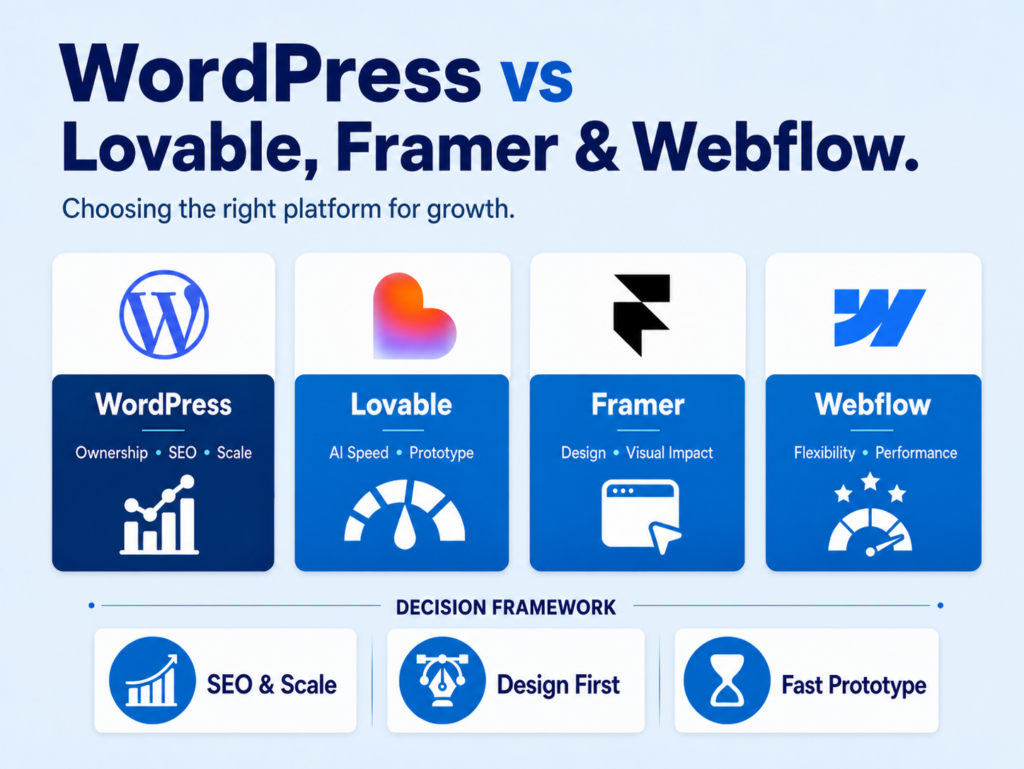
Choose WordPress if you want complete ownership, you have real SEO ambitions, you need complex functionality or third-party integrations, you’re planning to scale, or you want access to the widest possible pool of developer talent when you need support.
Choose Lovable or a similar AI builder if you need a prototype or proof of concept quickly, you’re building a simple landing page for a campaign, or you want to test an idea before committing to a full build. Don’t use it as the foundation for a production site you intend to grow.
Choose Framer if visual design is your primary concern, you’re running a creative agency or design-forward brand, and your functional requirements are relatively straightforward.
Choose Webflow if you want more design flexibility than WordPress provides out of the box, your team has the time and capacity to learn the platform properly, and you don’t have complex e-commerce or plugin-dependent functionality in your roadmap.
Choose Wix or Squarespace if you’re early stage, your budget is limited, you need something live quickly, and you understand that migration is likely in your future as the business grows.
The bigger picture on AI builders and vibe coding
Dismissing AI website builders as a gimmick would be a mistake. The speed of development in this space is real, and the use cases where these tools genuinely add value are expanding.
But there’s a pattern we come across repeatedly when clients arrive having built their site on an AI platform or a beginner-friendly builder. The site looks fine — sometimes it looks great. But underneath, it can’t do what the business actually needs, it resists proper SEO optimisation, and extending it tends to mean rebuilding rather than building on. The short-term speed gain becomes a longer-term cost.
A business website isn’t a brochure. For most companies, it’s the hub of the entire digital marketing operation — the destination for paid traffic, the thing that converts organic visitors, the place where a first impression becomes either trust or a bounce. Building that on a platform with structural limitations is a risk that tends to surface at exactly the wrong moment — usually when the business is growing and needs the site to perform most.
Conclusion
The right platform is the one that fits what your business genuinely needs — not just today, but over the next two or three years. For most businesses with serious digital marketing goals, that’s WordPress. For specific use cases, AI builders and design-focused platforms have real merit and are worth considering honestly rather than dismissing.
The mistake we see most often is choosing based on what looks most impressive in a demo, or what gets a site live quickest, rather than what will actually serve the business as it grows.
If you’re unsure which platform fits your situation, or if you’ve inherited a site built on the wrong foundation and you’re starting to feel the limits of it, we’re always happy to have that conversation.